Why Choose LED Lights for Your Entertainment Center?
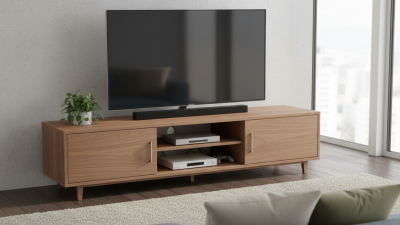
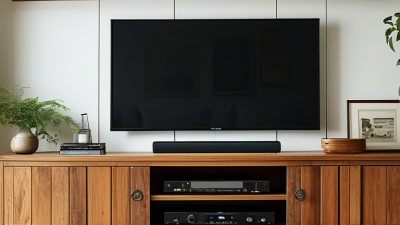
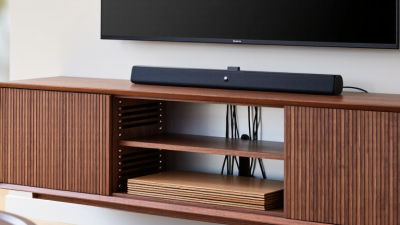
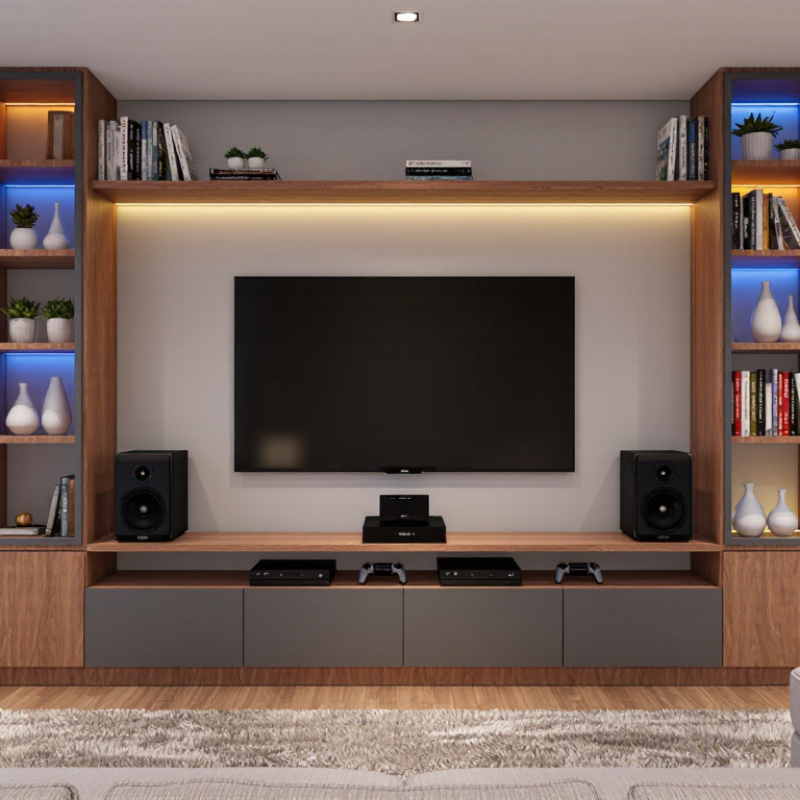
An entertainment center often becomes the visual anchor of a living room. It holds the television, speakers, consoles, and carefully arranged decorations. Adding LED lighting can make this area feel warmer, more organized, and easier to enjoy after sunset. The right Led Lights Entertainment Center setup does more than add color. It can create soft backlighting, reduce harsh contrast around a bright screen, and highlight shelves without overwhelming the room.
In practical home installations, placement matters more than impressive specifications. A warm white strip behind the television may support relaxed viewing. Adjustable colors can suit gaming, movie nights, or casual gatherings. Measure the cabinet before buying. Check the strip length, power connection, dimming method, and heat management. Look for products with clear technical information and appropriate safety certifications. Reliable adhesive backing also matters, because loose strips quickly look untidy.
The effect is not always perfect. Bright blue light can make skin tones appear unnatural. Glare may distract from dialogue or important game details. Some inexpensive controllers feel unreliable after repeated use. That is why thoughtful testing helps. Install a short section first, then view it from the sofa at night. Notice reflections on the screen and shadows around the cabinet. A polished result should support the entertainment experience, not compete with it. With careful selection and honest evaluation, LED lighting can provide practical atmosphere, visual balance, and flexible control for modern media spaces.
LED Efficiency: ENERGY STAR Reports 75% Less Energy Use Than Incandescent Bulbs
LED lighting can make an entertainment center feel calmer and more controlled. The U.S. Department of Energy reports that LED bulbs use at least 75% less energy than incandescent bulbs. They also last up to 25 times longer. That difference is noticeable above a television, behind a console, or under a media shelf.
Less heat matters, too. Incandescent bulbs release much of their energy as heat. LEDs produce far less warmth during long movie sessions. The U.S. Environmental Protection Agency identifies efficient lighting as a practical way to reduce household electricity demand. A 10-watt LED can replace a 60-watt incandescent bulb with similar brightness. Over 1,000 hours, that may save about 50 kilowatt-hours. Small change. Repeated often.
I have seen one overlooked detail: the bulb is efficient, but the control system may not be. Poor dimmer compatibility can cause flicker, buzzing, or uneven brightness. Check the fixture rating and choose a suitable color temperature before installation. The International Energy Agency also links efficient lighting with lower electricity demand across buildings. Still, energy savings depend on real use. Leaving the lights on all night weakens the benefit. That part deserves honest attention.
LED Lifespan: ENERGY STAR Rates Quality Products for Up to 25,000 Hours
Why Choose LED Lights for Your Entertainment Center?
LED lights suit entertainment centers because they provide steady illumination with low energy use. Their slim housings fit behind televisions, shelves, and sound equipment. They also produce less heat than many older lighting options. That matters when cables and electronics share a tight cabinet.
According to ENERGY STAR guidance, quality LED products can offer rated lifespans of up to 25,000 hours. This could mean years of evening viewing, depending on daily use. However, 25,000 hours is not a promise for every room. Heat, poor ventilation, voltage changes, and frequent switching may reduce performance. I once installed lights inside a crowded media shelf, and the strip became noticeably dimmer sooner than expected. The rating alone was not enough. Installation mattered.
Tips: Check the rated lifespan before buying. Keep lights away from hot amplifiers and blocked vents. Choose adjustable brightness for movie nights and gaming. Use a timer when the lights are decorative. Inspect connectors occasionally for looseness or flickering. A higher price may reflect stronger materials, but it does not always guarantee better results. Read the test details, not only the large number.
Color Quality: IES Recommendations Explain Why CRI 80+ Matters Near Screens
LED lighting works well around an entertainment center because it offers steady output, low heat, and flexible brightness. More importantly, its color quality affects how the room feels beside a bright screen.
Color matters. IES guidance commonly treats a CRI of 80 or higher as a practical baseline for many indoor spaces. High CRI lighting renders furniture, wall colors, and skin tones more naturally. This helps prevent a television from appearing overly blue or harsh by comparison. During a movie night, a warm wooden console should still look warm, not gray or muddy.
However, CRI is not a complete quality test. It mainly describes color rendering under a reference method. It does not measure glare, flicker, color temperature, or how well red tones appear. I once chose a light with a high CRI, assuming it would look perfect. The room still felt uncomfortable because the fixture reflected across the screen. That assumption was incomplete.
Choose LED fixtures rated CRI 80+ for general viewing areas, and consider higher ratings where accurate color matters. Select a color temperature near the room’s existing lighting, often around 2700K to 3000K for relaxed viewing. Keep the light indirect, dimmable, and positioned away from the screen’s reflection path. Check the result at night, when glare becomes easier to notice. Small details matter.
Why Choose LED Lights for Your Entertainment Center?
Color Quality: IES recommendations explain why CRI 80+ matters near screens.
CRI, or Color Rendering Index, is reported on a 0–100 scale. A CRI of 80 or higher is widely used as a minimum quality target for interior lighting, while CRI 90+ is preferred when more natural-looking colors are important. Higher CRI can help furniture, artwork, skin tones, and on-screen content appear more balanced without adding distracting color shifts.
Installation Safety: UL-Listed LED Strips, Drivers, and Low-Voltage Power Supplies
Why Choose LED Lights for Your Entertainment Center?
Installation safety begins with the parts behind the glow. Choose LED strips, drivers, and low-voltage power supplies carrying a recognized UL listing. The correct listing depends on the product type. UL 2108 covers many low-voltage lighting systems, while UL 8750 applies to LED equipment. A listed power supply should also match the strip’s voltage and intended use. Never assume a similar-looking adapter is suitable.
The U.S. Department of Energy reports that LEDs use at least 75% less energy and can last up to 25 times longer than incandescent lighting. Lower heat is helpful near televisions, wood panels, and stored electronics. It does not remove all risk. Drivers still need airflow, and connections must remain accessible. A warm, crowded cabinet can shorten component life. I have seen tidy installations hide loose connectors. That detail deserves a second look.
Tips:
Measure the total strip length and wattage before selecting the driver. Keep the driver’s rated capacity above the calculated load, without excessive oversizing. Secure strips to clean surfaces, avoid sharp bends, and never cover ventilation openings. Use low-voltage wiring after the power supply, but keep mains connections professionally installed where required. Check for flicker, heat, or discoloration after several hours. Small warning signs matter. Recheck them.